A world of international
shipping services
Compare international services, get accurate shipping rates, and quickly prepare all required customs documents.
Compare international services, get accurate
shipping rates, and quickly prepare all required
customs documents.
Get ready for hassle-free international shipping:
Start here to ship almost anywhere

First things first: Learn how to ship internationally. Read about customs brokers, get packing tips, and more.

Get guidance from FedEx International Shipping Assist. Estimate costs and get copies of blank customs documents.
See how international shipping costs are calculated, including service speed, distance, package size, duties, and taxes.
Deliver on time, even to another hemisphere
Learn about services that deliver across the globe the next day or next week. You can also get door-to-door customs clearance service with visibility into the status of your shipment. Your customers can confidently track in near real time, too—and get an estimated delivery time.
Compare international shipping services and rates
International shipping cost depends on your chosen service, delivery speed, destination, and your package’s weight and size. Comparing services helps you find the best balance of cost and delivery time.

If you open a free FedEx account, you’ll save on domestic and global shipping.

Clear customs. And a path forward.
Learn what customs documents you need, how duties and taxes are calculated,
and how to avoid delays during international clearance.
Learn what customs documents you need, how duties and taxes are calculated, and how to avoid delays during international clearance.
International expedited service options
Whether you're shipping overseas or to a neighboring country, fly it quickly. Get 24/7/365 delivery with FedEx® International Next Flight.
Get delivery in more than 220+ countries and territories, Choose from FedEx International First®, FedEx International Priority® Express, or FedEx International Priority®.
International standard service options
FedEx International Economy® offers affordable delivery to more than 210 countries and territories.
Use FedEx® International Connect Plus to ship to 195 countries and territories in 2–5 days. It offers transparent pricing with no residential surcharges.
Expand your business into Canada with ground delivery. Get coverage to 100% of Canadian business and residential addresses. Check out our how-to guide for tips to help you succeed.
International economy service options
With FedEx® International Connect, you pick the best service to meet your customers’ expectations. Then, you get reliable last-mile delivery.
International air freight
If you’re in a rush to send your shipment over 150 lbs., use FedEx® International Next Flight. Your shipment will be there within hours.
Ship to up to 130 countries and territories with time-definite delivery. Choose between FedEx International Priority® Freight and FedEx International Economy® Freight.
Get peace of mind with FedEx International Premium®. Rely on time-definite delivery in 1, 2, or 3 business days to more than 30 countries.
Get last-minute shipping discounts
It’s never too late to save. Fill out one form to get discounts through Last-Minute rates.

Estimate international rates
International rates depend on package size, weight, delivery speed, destination, and required customs fees. Estimate your total cost including duties and taxes before shipping.

Simpler shipping, step by step
Video tutorials make international shipping paperwork easier. Get help with customs forms, EEI documents, and more.
Managing your international shipping preferences
See how to start an international shipment. Get information on using FedEx Ship Manager for sending packages and accessing documents. You can also save information about your shipments for future use.
Fill out customs documents online, including Commercial Invoices
Prepare and submit required customs documents online including Commercial Invoices and Certificates of Origin to speed up clearance and reduce delays.
Learn the ins and outs of customs documents
Learn how to complete key customs forms, including Commercial Invoices, Certificates of Origin, and other country‑specific requirements. And get an overview of how export licenses work.

Submit your customs documents
Save time by skipping manual paperwork. Transmit your customs documentation online via FedEx® Electronic Trade Documents.

Meet your export filing requirements
Does your international shipment need an Electronic Export Information (EEI) form? Find out and explore your filing options.
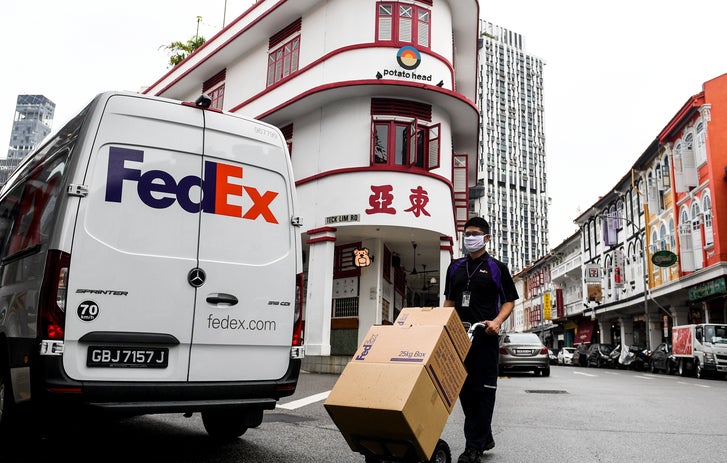
Get set for customs clearance and help avoid delays
Customs inspects and regulates every shipment. Be proactive with these resources for shipping overseas or across borders. Also, keep up with the latest regulatory news and import and export alerts.

Take advantage of broker-inclusive service
Use FedEx International Broker Select® to connect with a pro. Or designate your own.

Get a breakdown of duties and taxes
Understand how duties and taxes are calculated based on product value, HS code, country of origin, and destination rules.

Expedite controlled shipments
Help reduce the chance of delays with FedEx® International Controlled Export (FICE).
Use these tips to help you clear customs
Get step‑by‑step tips for completing customs forms accurately, preventing delays, and ensuring your shipment clears customs smoothly. Get tips on everything from completing a Commercial Invoice to obtaining an export license. And get customs guidance to help you avoid delays.
Avoid delays for global deliveries
Keep customers happy by delivering on time, even when they’re across the globe. Find out how accurate documents, proper packaging, and real‑time alerts help prevent customs delays and keep international deliveries on schedule.
Prep for a smooth trip with shipping and packing resources
Review packing guidelines, prohibited items, and specialty packaging tips to ensure your shipment meets international standards and clears customs without issues. If you’re shipping dangerous goods, view our resources.
Need help with the lingo? From ancillary fees to terms of sale, save time by familiarizing yourself with shipping terms.
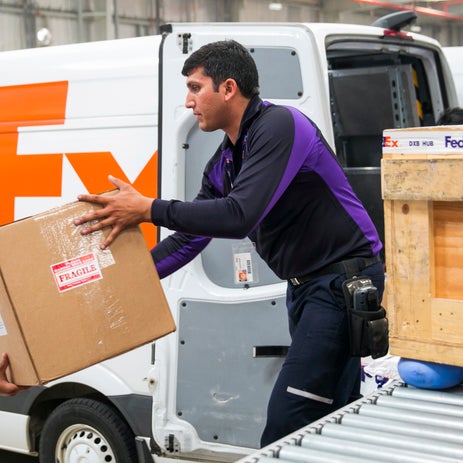
Once you have information you need, it’s time to:

Learn packing basics and get tips on how to pack specialty items. And find ways to pack your shipments more sustainably.

Get to know the different FedEx delivery signature requirements.

Simplify international deliveries with FedEx Delivery Manager®.* Request to redirect a package to a FedEx location for pickup, get notifications and alerts, and more.
*U.S. import only; deliveries to a U.S. home address are eligible for all features except the option to schedule your delivery by a specific date and/or specified time, and request delivery to another address.

Get packaging for every journey
From boxes and cushioning to more sustainable packaging, find shipping supplies that fit your needs. If you want a helping hand, use pack-and-ship services at select FedEx Office locations.

Drop off a package in your neighborhood
With our convenient retail network, it’s easy to find a drop off location near you. Choose from several stores, including FedEx Office, Walgreens, Dollar General, and select grocery locations.
Discover global business shipping tools
Your customers depend on you to deliver quickly and reliably, even if they're in a distant country. But that can be tricky—which is why we have the resources to meet even the most complex international needs.

Test your package before you ship
Help protect against the high cost of damage. Get expert testing from the FedEx Packaging Lab.

Export products with ease
Use our Export Road Map to help create a strategy for global growth. It has a checklist for quick reference.

Navigate the international trade process
Save time and money with WorldTariff®. Make informed decisions and improve operations..

Develop your shipping strategy
Get tools to manage international logistics, calculate landed cost, prepare export documents, and plan your global shipping strategy. Our guide makes life easier.

Get rewarded for your shipping
With FedEx Rewards, you can earn gift cards and merchandise from brand-name retailers.

Grow loyalty with easy returns
Explore return label options, and learn how to offer customers convenient drop off and pickup options.

Make the world your marketplace
The FedEx global ecommerce playbook is full of data-backed guidance for global growth. Plan with confidence. Reach more markets. And take your business farther.
FAQs
To ship internationally, choose a service based on speed and budget, create your shipping label, prepare customs documents like a Commercial Invoice, pack your shipment securely, and drop it off or schedule a pickup. FedEx provides tools to guide you through each step online.
International shipping rates depend on service type, package weight and dimensions, destination, and any surcharges. Your total landed cost also includes duties, taxes, and customs fees charged by the destination country. FedEx provides calculators to estimate transportation cost, duties and your shipment’s expected delivery time and date.
Certain items cannot be received, stored, shipped, imported and/or exported due to regulatory, hazard, safety or other reasons. Transactions involving these commodities are strictly prohibited, regardless of origin or destination. FedEx provides destination‑specific guidance to help you determine if your item can be shipped.
Please note: Prohibited items are forbidden to be exported from the origin country or territory or imported to the destination country or territory
Certain items have regulatory, hazard, safety or other considerations and require approval from Regulatory Compliance, Risk Management and Legal departments prior to handling. Transactions involving these commodities are restricted, regardless of origin or destination. FedEx provides destination‑specific guidance to help you determine if your item can be shipped
Please note: Restricted items may require special permits or licenses prior to their sale, export from or import to your specified country or territory.
Use your tracking number to see near real-time updates from pickup through customs and final delivery. FedEx offers estimated delivery windows, exception alerts, and cross‑border visibility to help you monitor your shipment.