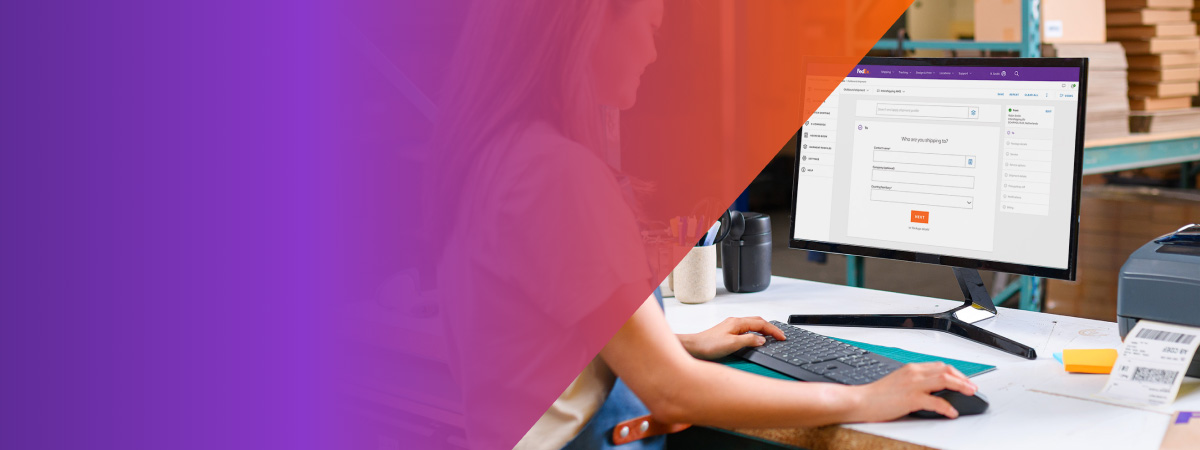
With one-click printing and shipment profiles for recurring orders, this tool is built to adapt to your style of shipping. It even has two views for you to choose from — comfortable and compact.
All online, all yours to personalize
FedEx Ship Manager is your go-to tool when it comes to inbound, outbound and return shipments. Whether you send documents, parcels or freight, our free online tool supports you every step of your journey — including through customs.
New customer?
Just create an account to get shipping.
Existing customer?
You're ready to go!
It's all about you
Ultimately, you just want to ship your goods without any hassle. Here's how FedEx Ship Manager is built to let you do exactly that.

Next-level customization
All online
It’s all online, which means you have easy access to tracking, billing and other helpful FedEx tools. Plus, there’s no software installation, plugins or manual updates required.
Multiple users
Everyone in your business can use this tool to keep everything organized and in check — giving you a chance to focus on the bigger picture.
E-commerce solutions
Connect your online store and experience an effortless way to ship. All your orders automatically sync, which means address details are prefilled and tracking numbers are shared with your customers.
Start shipping in three easy steps
Want to jump right in? Getting your shipment ready for FedEx couldn't be simpler.

Create a FedEx account — and benefit from personalized shipping rates!

Click on SHIP NOW and follow the instructions.

Print your label and attach it to your shipment. You’re done!

Batch shipping
Upload a single file to create and print hundreds of shipment labels in one go. That means you don’t need to manually create and print labels.

One-click printing
Our Print & Integration app allows you to automatically send documents and labels to your printer. Meaning faster labels, without the fuss.

Shipping your way
FedEx Ship Manager has two views: comfortable and compact. So whether you prefer everything on one screen or a step-by-step approach, the choice is up to you.
Using the new tool
You can access the tool on the ‘Shipping’ menu on the homepage or by clicking ‘Ship’ and entering your login details. No login details yet? Set them up here.
You can manage the entire shipping process, this includes:
- Getting rates and transit times
- Creating shipping labels for your single or multi-piece shipments
- Creating and submitting your customs documentation electronically (FedEx® Electronic Trade Documents)*
- Scheduling pickups
- Setting up tracking notifications for recipients
They are just a few examples of what you can do with the new tool – there’s a whole lot more for you to explore once you dive in and start shipping.
* Subject to availability in origin/destinations countries/territories
Services and features
You can create international import or export shipments, and domestic shipments (if available in your country/territory). That includes anything from packages to freight shipments.
You’ll find all the regular FedEx services. However, their availability depends on the origin and destination country, weight, and shipment type.
All the standard features you need are available in the tool and we’re adding more all the time.
Yes, you can set up shipment profiles in both the comfortable view or the compact view.
Shipment profiles are handy if you send the same type of shipments regularly. This is because all the information is prefilled – so you don’t need to enter the details each time you ship.
Yes, you can connect either a laser or thermal printer with both the comfortable and compact view.
Yes, you can upload it using a CSV format.
- If it’s the first time you’re using the online FedEx Ship Manager™, you can upload your address book by selecting ‘Address Book’ from the ‘Account’ menu
- If you’re using the older version of the online FedEx Ship Manager™, your address book will be synced so there’s no need to upload
For more details, please visit the help section available on the left navigation menu within the shipping tool.
Connecting your store to FedEx Ship Manager™ is fast and straightforward. Just log in and click on ‘E commerce’. You’ll then be taken through the next steps.
General Questions
This feature is not yet available in the new FedEx Ship Manager™ at fedex.com.
The new shipping tool is compatible with all modern internet browsers. However, for Internet Explorer specifically, we do not support IE10 or lower versions.
Yes, shipments created with FedEx Ship Manager™ will also appear in other FedEx tools such as FedEx® Reporting Online and FedEx® Billing Online (provided you’ve already registered).
Yes, we use the latest security technology to ensure your data and transactions are safe.