
Stay in Control with the FedEx® Mobile App
Download the app to get real-time alerts on shipping and deliveries, as well as create shipments, get rates, find drop-off locations and more. All from your phone.


No matter where you are, the FedEx® Mobile app has your back.

Stay in control. Wherever you are.
Not always near a computer? No worries. Get tracking alerts, create shipments and more, right from your phone. Anytime, anywhere.

Your shipments. Your way.
Get your shipment started wherever you are. It’s fast and easy to create a new shipment in the FedEx Mobile app.


Need a quote?
Obtain accurate and reliable rate quotes while you’re on the road. Sign in for account-specific rates.
Find FedEx on your wrist.
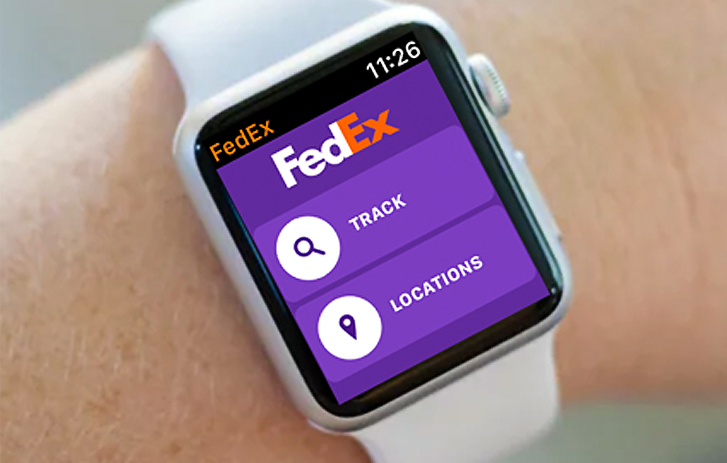
Get more convenience on your Apple Watch.
Install the FedEx Mobile app to get tracking alerts and find nearby FedEx locations.
Frequently Asked Questions
FedEx Mobile App offers the following features:
- Track shipment.
- Quick rate and transit time quotes
- Create an international shipment.
- Schedule and manage pickups
- Find FedEx locations.
- Support from the help icon and customer service
Track shipment
FedEx Mobile App recognizes FedEx Express tracking numbers. All you need to do is enter the tracking number or scan the barcode on the shipping label, and we’ll provide you the latest information about your shipment. Also, if you login using your fedex.com ID, your shipment created via FedEx Ship Manager at fedex.com (FSM) will automatically be uploaded.
- Add shipments to a watch list
You can add shipments to your watch list at any time by simply tapping on the star icon. The star icon should turn yellow when the shipment is added to your watch list. You can access all the shipments on your watch list by selecting the "Watch list" tab located at the top of the screen. To remove a shipment from watch list, simply tap on the star icon again. - Send tracking update notifications
You can request push and/or email notification updates about a tracked shipment. - Nickname shipments
You can nickname your shipments by selecting the Nickname option at the detailed result screen. This will bring up a box to add a nickname to that shipment. After you nickname your shipment, the application will show the shipment nickname along with the tracking number. You can use the same nickname for multiple shipments. You will be able to easily identify and find your shipment by using the search feature. - Add tracking numbers
You can manually add a tracking number by entering a new tracking number into the search field and then searching for it or scanning the barcode on the shipping label. Added shipments will be displayed on the Track summary screen. - Remove shipments from the application
To remove a shipment from the application, simply tap the “Delete from the list” option at the detailed result screen. - Follow a shipment using the shipment progression bar
The progression bar represents the movement of your shipment. The different bars are:- Shipment initiation: FedEx received the shipment information from the sender.
- Pickup: FedEx has possession of the shipment.
- In transit: The shipment is in transit to its final destination.
- Delivered: The shipment has been delivered.
Quick rate and transit time quotes
By keying in basic information (origin, destination, weight, and package type), you can quickly obtain a rate and transit time quotation. If you login using your fedex.com ID, we’ll be able to provide you with your account-specific rates.
Create an international shipment
Login using your fedex.com ID to create and schedule a pickup for international shipments. The created label will be sent to your email address in a PDF format. Simply print out the label and affix it to your package in preparation for courier pickup or drop-off at a FedEx location.
Schedule and manage pickups
Login using your fedex.com ID to schedule and manage a pickup for international shipments. You can also view and cancel existing pickup.
Find FedEx Locations
Tap on the Location icon on the FedEx mobile app. Nearby FedEx locations will be displayed on a map together with the address of each location, its distance from you, and whether the facility is a drop box or staffed location. You can choose to search for drop box or staffed locations and select directions for driving, walking, or public transport. You can also get more details on a FedEx facility’s location, hours of operation and whether pick up service is available.
Get support
FedEx Mobile app provides you with better support tools. Use the help icon to contact our customer service representatives for further assistance.
Note: Available features may vary in some markets, please contact our customer service representative for assistance.
The FedEx Mobile app supports iOS and Android.
- iOS: Supports operating system 11 and above.
- Android: Supports operating system 5 and above.
Simply go to the App Store for iOS devices and Google Play for Android devices, and search for “FedEx Mobile” to download.
Without logging in to FedEx Mobile you can track the status of FedEx Express packages, get a rate and transit time quote, and find FedEx locations. Additional account-specific features are available by logging in such as create an international shipment, account-specific rate and transit time quotes and automatic shipment uploading for tracking shipments.
If you forgot your password or user ID, go to fedex.com on your desktop computer and select “Forgot your password or ID?”
FedEx understands the importance of protecting the privacy of customer information. Your shipment information is password protected, and FedEx does not sell customer information or give it to outside parties, except in accordance with our Privacy Policy or as required by law. Please refer to our Privacy Policy for more details.
The bar represents the progress of the movement of your shipment.
- First Segment - Shipment initiation: FedEx received shipment information from sender.
- Second Segment - Pickup: FedEx has possession of the shipment.
- Third Segment - In transit: The shipment is in transit to its final destination.
- Fourth Segment - Delivered: The shipment has been delivered.
You can track the status of any FedEx Express® shipment as long as you have a valid tracking number.
Tap the “Support” icon from the menu screen and select “Contact Us” for further assistance.