
FedEx® Global Returns
Simplified and speedy return shipments.
Keep customers loyal to you
FedEx® Global Returns simplifies cross-border returns management, from preparing labels to clearing customs. With easy-to-follow steps for both sender and receiver, our global return service keeps the process straightforward and customers satisfied.
Simple for them
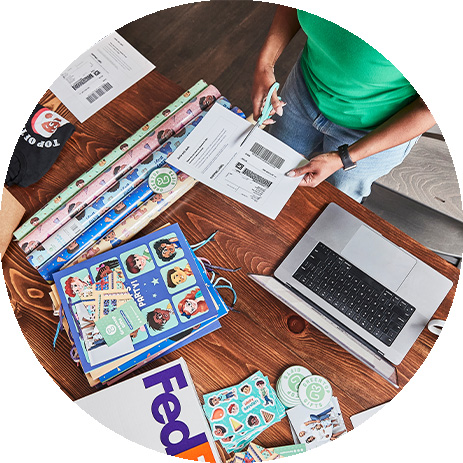
Ready-made return labels
Include a pre-printed return label with every order or provide one on demand for home printing.

Ready-made return labels
Your customers can schedule a pickup or drop off at a convenient FedEx location in 200+ countries.
Your return options

Link to original shipments
Always know exactly what they’re sending back.

Streamline global returns
Get the customs paperwork right for re-importation.

Simplify returns management
Restock fast with less time processing returns.

Get expert guidance
Questions? We’re always here to help out.
Your return options as a business
For return labels, you have three options.
 |
You print a return label (plus 3 return commercial invoices, if required). |
|---|---|
|
You place them in your outbound shipment. |
|
Your customer requests a return, if necessary. |
|
They place the return label and commercial invoices in the plastic pouch. |
|
They arrange a pickup of their shipment. |
WHERE TO FIND IT
In FedEx Ship Manager® at fedex.com, go to the Return Details tab and select Include a return label.
Note: Certain FedEx locations are operated by independent third parties in cooperation with FedEx.
|
Your customer requests a return. |
|---|---|
|
You create a PDF with a return label plus 3 commercial invoices and email it to them. |
|
Your customer prints the PDF. |
|
They place the return label and commercial invoices in the plastic pouch. |
|
They arrange a pickup of their shipment. |
WHERE TO FIND IT
In FedEx Ship Manager® at fedex.com find your outbound shipment and choose Create return. In Return options, choose Email return label and select a Reason for return.
Note: Certain FedEx locations are operated by independent third parties in cooperation with FedEx.
|
Your customer requests a return. |
|---|---|
|
You create a return label plus 3 commercial invoices and grant permission to edit. |
|
FedEx emails your customer a link to edit and print. |
|
Your customer fills in the required information. |
|
Your customer prints the PDF. |
|
They place the return label and commercial invoices in the plastic pouch. |
|
They arrange a pickup of their shipment. |
WHERE TO FIND IT
In FedEx Ship Manager® at fedex.com, find your outbound shipment and choose Create return. In Return options, choose Email return label and check the box “Allow the return shipper to edit return shipping details”
Note: If you use APIs for FedEx shipping, search for ‘Return Shipping’ in the Developer Portal for instructions.
Ready to get started?
More solutions for e-commerce
Hassle-free deliveries
E-tailing expertise
Insights for e-commerce
Put your customers in control of their own deliveries with FedEx Delivery Manager®.
Save time and scale your business with reliable shipping and intuitive tools.
Explore practical strategies for SMB retailers to handle and minimize your returns.
Hassle-free deliveries
Put your customers in control of their own deliveries with FedEx Delivery Manager®.
E-tailing expertise
Save time and scale your business with reliable shipping and intuitive tools.
Insights for e-commerce
Explore practical strategies for SMB retailers to handle and minimize your returns.
How to return a parcel
Wondering how it works for your customers? Here’s how we explain it to them in 3 easy steps.