Payment options
Please send your remittance to NZ-paymentadvice@fedex.com after payment. Please remember to include your FedEx Account Number, Invoice Number, and the Payment Amount in your email.
When using a Credit Note to offset an invoice, please be reminded that the credit is only applicable to the invoice number stated on the note. In addition, if full payment has been made for a disputed invoice before you have received a credit note, kindly notify us.
For your convenience, there are a number of ways for you to settle your bill.
Pay for FedEx services with QR Pay
Make payments faster and more convenient with FedEx QR Pay. Scan a QR code, add invoices, and pay using credit card, e-wallet, or bank transfer.
Payment options and service types, including freight charges, duties and taxes, prepaid freight, and import-related fees, may vary by market.
Click on the Alternative payment(s) tab below to explore this faster, smarter way to pay, and refer to the step-by-step instruction guide for the available options in your country or territory.
| Bank account name: | FedEx Express New Zealand |
| Bank name: | Citibank, N.A. |
| Bank address: | Citibank Centre 23, Customs Street East, Auckland, New Zealand |
| Bank account no: | 001963500 |
| Bank code: | 31 |
| Branch number: | 2840 |
| Swift code: | CITINZ2X |
QR pay
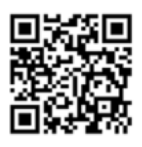
QR pay saves you time. Simply scan the code with your smartphone to pay your bill securely and quickly via credit card. Alternatively, you can click this link fedex.com/en-nz/paybill to pay and to manually add records.
Credit card
Simply access fedex.com/payment to pay your bill securely and quickly online with a credit card.