Customs Documentation Support
Prepare accurate,detailed customs documentsto help keep your internationalshipments on track
Get ready for these hassle-free international shipping

Commercial Invoice
The Commercial Invoice is the primary document used by most foreign customs agencies for import control, valuation and duty determination. Download our Commercial Invoice template in editable pdf format below.

Step 1: Start with your destination in mind
There are different requirements and paperwork for international shipping,but the overall shipping process remains similar when shipping domestic,and we’re here to help. Please check additional local documentationrequirements at destination to successfully clear customs.
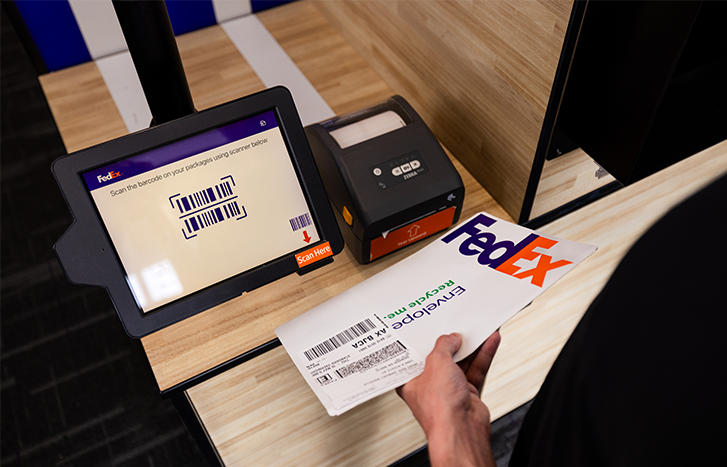
Step 2: International Air Waybill number
Enter the FedEx International Air Waybill number, our main reference for your shipment.
Step 3: Export references (ie. order number, invoice number, etc.)
An invoice number is always required for customs

Step 4: Shipper / Exporter
Complete name, address, telephone number and Tax ID number

Step 5: Consignee / Importer
Complete name, address, telephone number and importer’s Tax ID number
Step 6: Importer – if other than consignee
If the shipment will be handled by an importer who is not the recipient, complete full name, address and telephone number.

Step 7: full description of goods
- What is it?
- How many are there?
- What is it made of?
- What is it intended for?
- Two steel springs for woodworking machine
- 30 pages of legal documents
- Food — one can of sliced peaches

Step 8: Country/Territory of Manufacture
Complete the country/territory in which each of the commodities in your shipment was originally manufactured or produced. If you have multiple commodities with different countries/territories of manufacture, please include each country/territory of manufacture beside each product description.

Step 9: Unit Value
A true customs value is required, even if there is no transactional value for the goods being shipped. If you have multiple commodities with different values, please include each value beside each product description.

Step 10: Signature
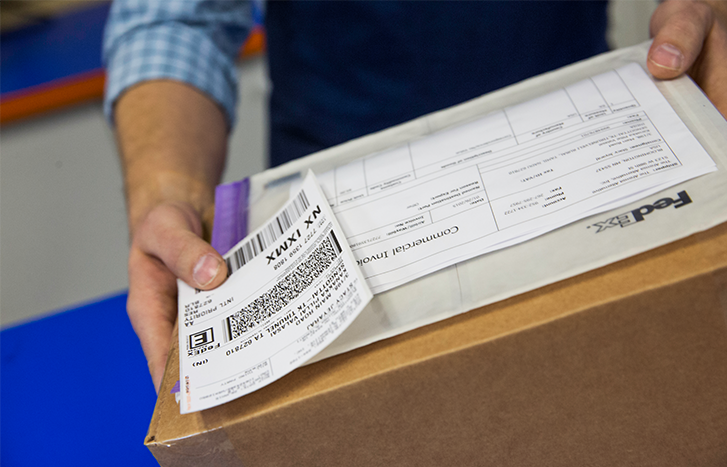
Before you sign the declaration, ensure that all the information is consistent with the Air Waybill. Please place the original commercial invoice and two copies, all individually signed, on the package, together with the Air Waybill.

FedEx Import Solution
An integrated solution to expedite the import process. Available for all customers clearing their import shipments into Mexico.

How to complete your Air Waybill online and upload your customs documentation with FedEx Ship Manager® at fedex.com
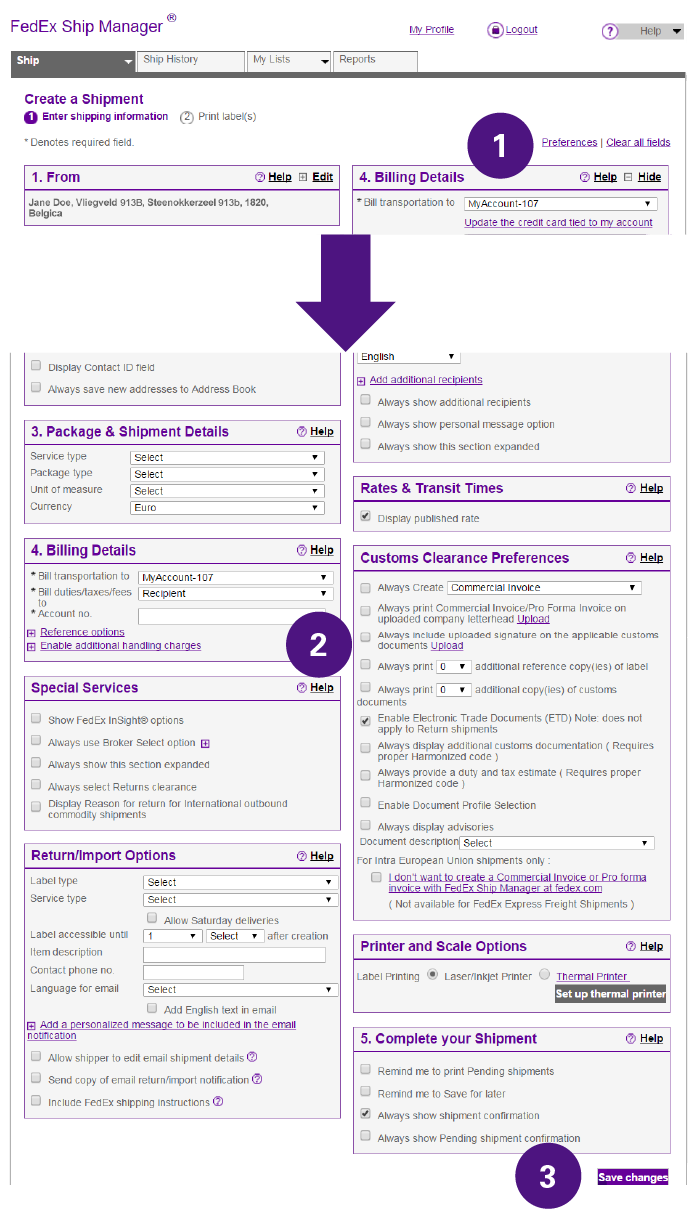
Log in to FedEx Ship Manager at fedex.com
- Click on “Preferences” above Billing Details.
- Check the box to “Enable Electronic Trade Documents.”
- Click “Save Changes,” and you’re done!
-
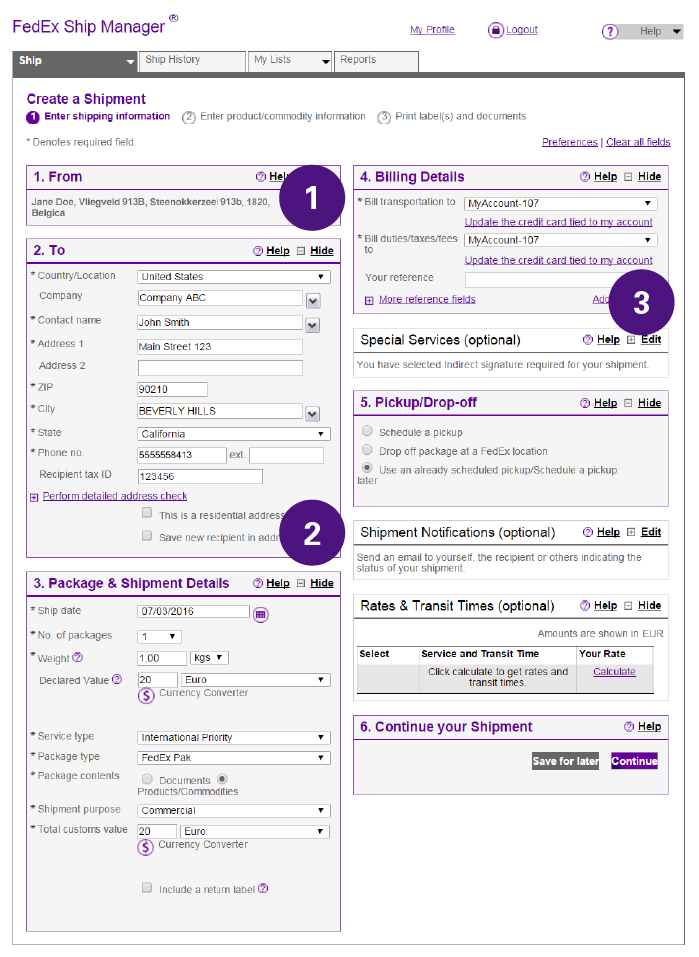
Sender Information
Be sure to complete your full address and phone number.
-
Recipient Information
Complete the recipient’s address details and phone number.
-
Payer Information
Complete the payer information for transportation and Duties & Taxes
-
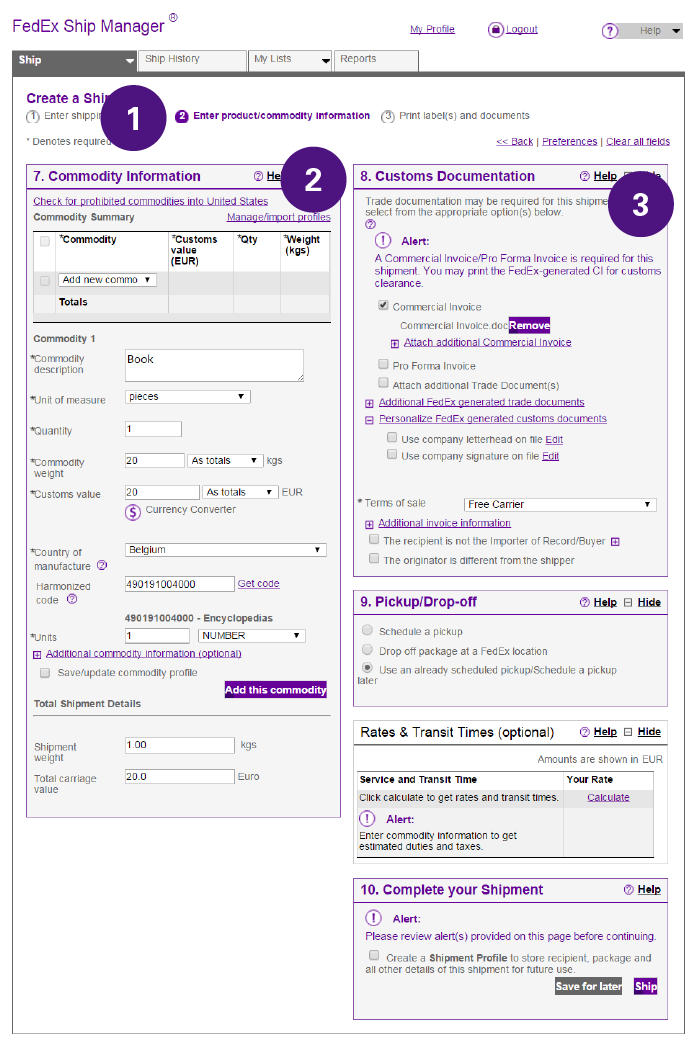
Enter product/commodity information
For shipments requiring customs documentation, a new window will appear to allow you to enter all your commodity information
-
Commodity Information
For each of the commodities in your shipment put:
- Full description of goods in English
- What it is?
- What it is made of?
- How many/how much?
- What it is used for?
- Customs Value: A value of customs is required, even if there is no transactional value for the goods being shipped (Zero value is not acceptable)
- Country/Territory of Manufacture: If you have multiple commodities with different countries/territories of manufacture, please include each country/territory of manufacture for each product description
- Full description of goods in English
-
Choose the basic customs documents you want to upload or create
- Commercial Invoice
- Our recommendation: Use your own commercial invoice
- Make sure you have enabled Electronic Trade Documents to upload your documentation electronically
- Make sure that the information in the Commercial Invoice matches the information on the Air Waybill
- Pro forma Invoice
- For shipments of free goods such as product samples, catalogues or products not intended for sale
- However, not all countries/territories accept pro-forma invoices and we recommend preparing a commercial invoice in every case as it requires no extra effort
- Additional Trade documents
- Attach any other required trade documents required for your commodity / destination
- Commercial Invoice
-
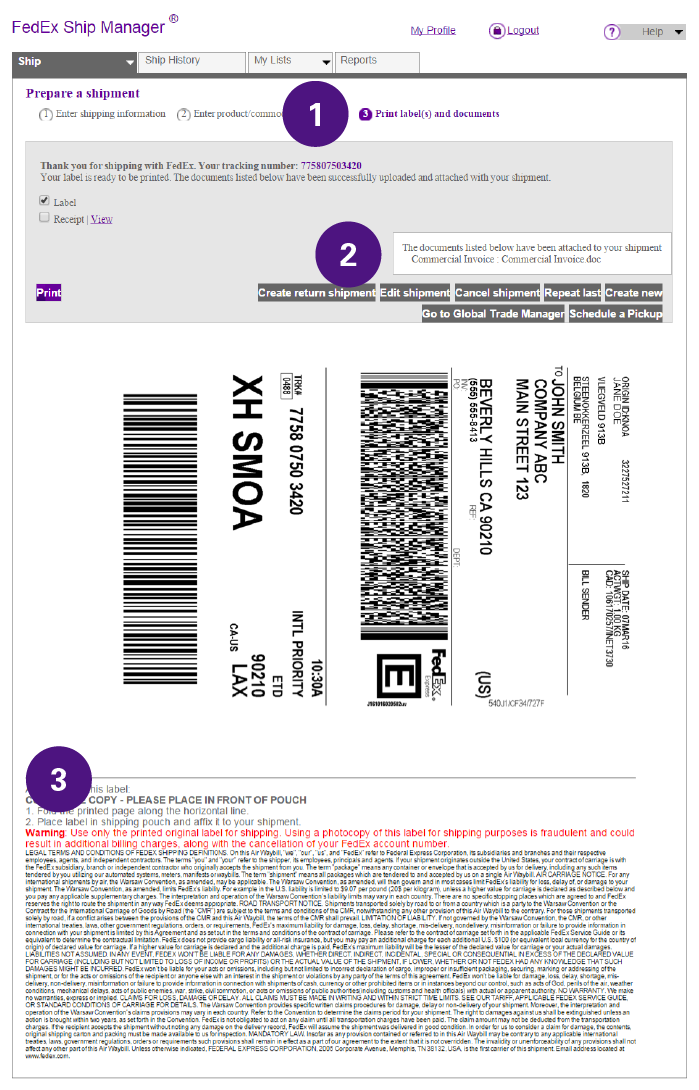
Print labels and documents
Last step in the process is the verification and printing of your Air Waybill
-
Documents attached
You have the ability to view the documents that have been attached to your shipment
-
After printing instructions
Fold the printed page along the horizontal line
Place the label in the shipping pouch and affix it to your shipment
Note: If you have not uploaded your Commercial Invoice in FedEx Ship Manager®, please print three copies of your Commercial Invoice, sign them and put them on your shipment together with the Air Waybill