
How to schedule a freight pickup
See our step-by-step instructions to get your freight on the road.
Packages over 150 lbs. are considered freight. We know dropping them off just isn’t very convenient. That’s why we offer experts and services to help get your pallets, drums and large, heavy packages off your dock and on their way.
What to know before you schedule a pickup

You can request a one-time pickup at the same time that you create your shipping label or
Bill of Lading.
- For FedEx air freight, go to the “Pickup/Drop-off (optional)” section, click “Edit” and select “Schedule a pickup.”
You can request a one-time pickup at the same time that you create your shipping label or Bill of Lading.
- For FedEx air freight, go to the “Pickup/Drop-off (optional)” section, click “Edit” and select “Schedule a pickup.”

For FedEx air freight, you can arrange a freight pickup online only for the same day. You can generate future shipments and reserve space days in advance through the booking process. However, the pickup itself can only be requested same-day. If you select a day before or after the shipping day, you will not be able to request it online.

A general cutoff time to call for scheduling is 3:00 p.m.

Pickups are planned for a 90-minute window. The latest pickup time is at least 90 minutes before your dock closes. However, times are affected by which freight service you choose and your destination. Call 1.800.463.3339 to confirm cutoff times.
Arrange a FedEx air freight pickup online
Step 1
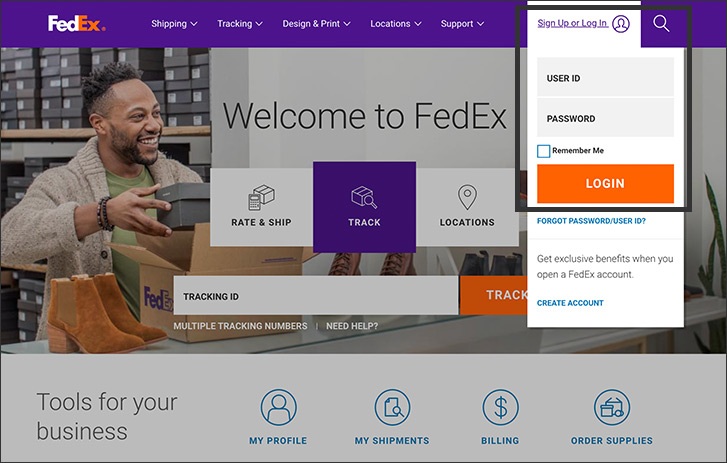
Sign in to your account. If you don’t have one, you can open an account.
Step 2
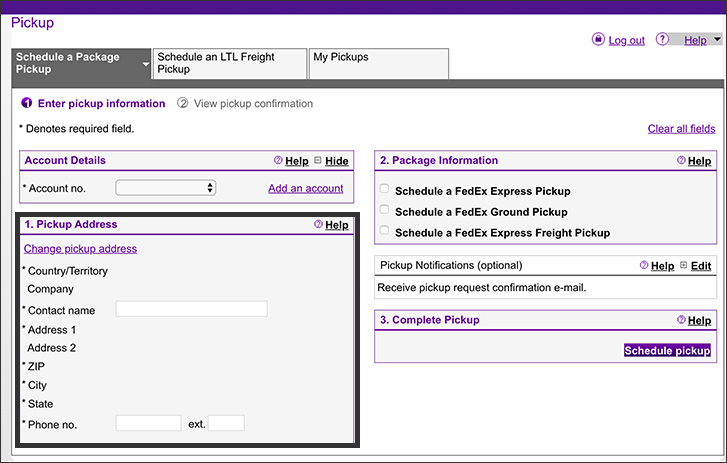
Go to the “Pickup” screen and add the details of the pickup address. Required fields are noted with an asterisk(*).
Step 3
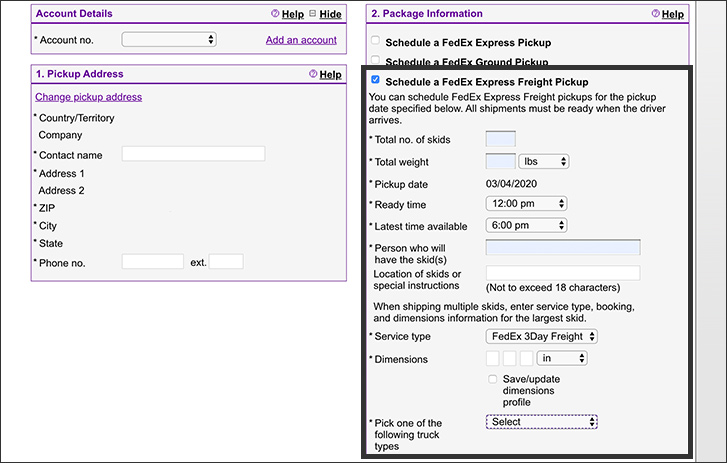
In the “Package Information” section, check the "Schedule a FedEx air freight pickup" box and add your shipment details. Include:
- Total number of skids
- Total weight
- Pickup date
- Ready time
- Latest time available
- Person who will have the skid(s)
- Service type
- Dimensions
- Truck type
Step 4
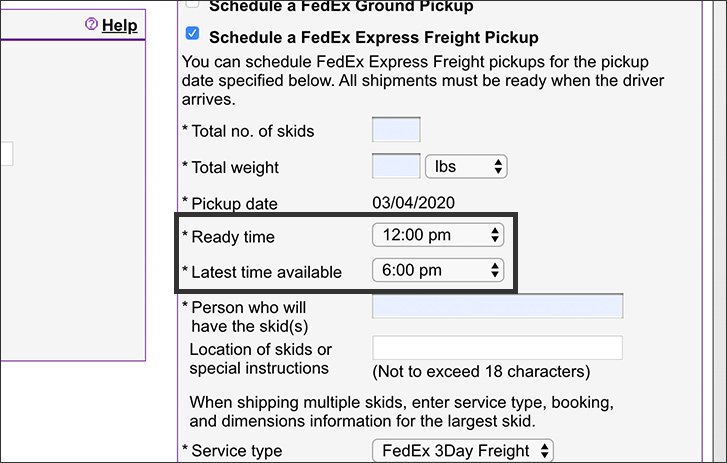
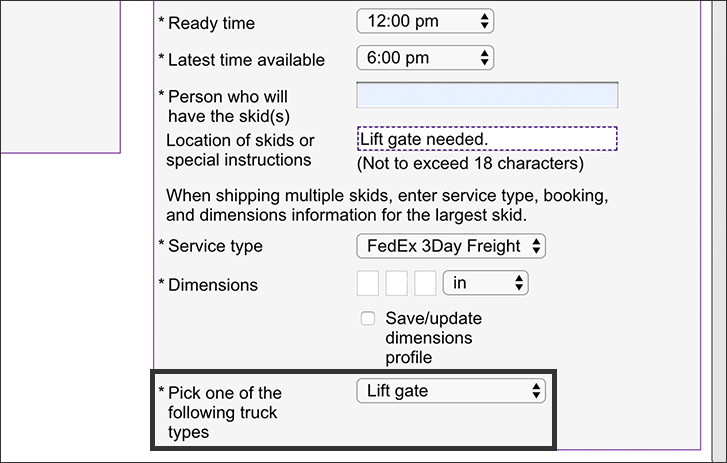
Pay special attention to the “Ready time” and “Latest time available” fields in the “Pickup Information” section. They may have default times, and you may need to adjust them.
Step 5
If you need a liftgate, indicate that on the “Pick one of the following truck types” drop-down menu. You can also type that you need a liftgate in the “Location of skids or special instructions” box. There is no charge for a liftgate for FedEx air freight. If you have a dock, choose “Tractor trailer access.”
Step 6
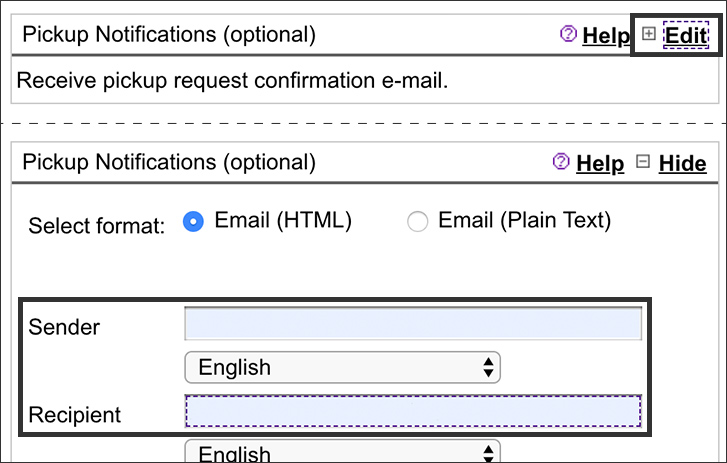
To get optional pickup notifications, click “Edit” in the “Pickup Notifications” section. Choose the type of email you want and enter the email addresses of the sender and recipients. You can also add other recipients and personal messages.
Step 7
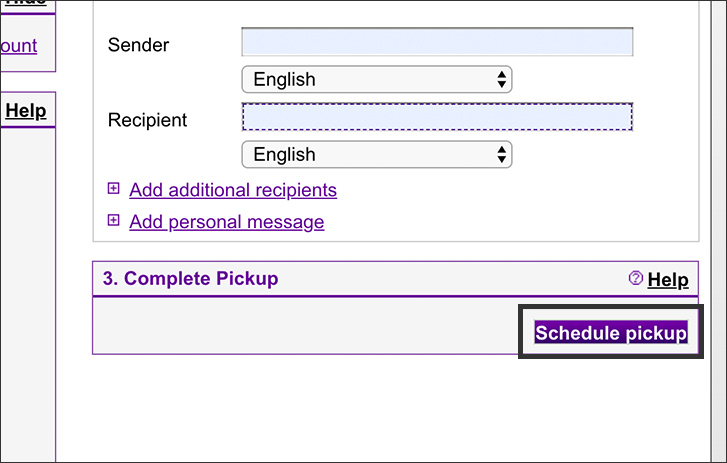
Click the “Schedule pickup” button. You’ll see a confirmation screen with your pickup details and a reference number that can be used when communicating with your service center.

Request a pickup for any freight shipment by phone.
Contact customer service at 1.800.463.3339 to arrange a pickup. Or contact your local freight service center. Find one near you.
Frequently asked questions
FedEx air freight pickups are free Monday through Friday. There is a charge for Saturday pickups.
However, there are fees that apply in special circumstances.
- Limited Access Pickup: $152 per shipment in the U.S. (construction sites, churches, schools, etc.)
- Residential Pickup: $144 per shipment in the U.S.
- Inside Pickup: $13.29 per hundredweight with a $140 minimum charge, and $1,404 max per pickup/vehicle, per shipment
Saturday pickups are available to many major markets for an additional charge. Depending on the location, Saturday pickups can cost up to $210.
They are free Monday through Friday.
Call your sales representative or customer service at 1.800.463.3339
No, you can leave your pallet(s) on your dock in a secure location.
Sign in to your account and on the Pickups screen, select the “My Pickups” tab. Click the check box to the left of the pickup you want to cancel. Then click the “Cancel pickup” button. You will be asked to confirm the cancellation. Click the “Yes” button to confirm.
Pickups need to be planned at least 90 minutes before your dock closes. There may be other considerations based on which service you are using and where you are shipping to. If you have questions, call customer service at 1.800.463.3339
To ship freight, you’ll need to know if you and your destination have shipping docks. No dock means you’ll need to request a liftgate. It’s a device on a truck that can raise and lower items from ground level to the level of a tractor trailer. Not having a liftgate when you need one delays pickups and deliveries and can cause extra fees.